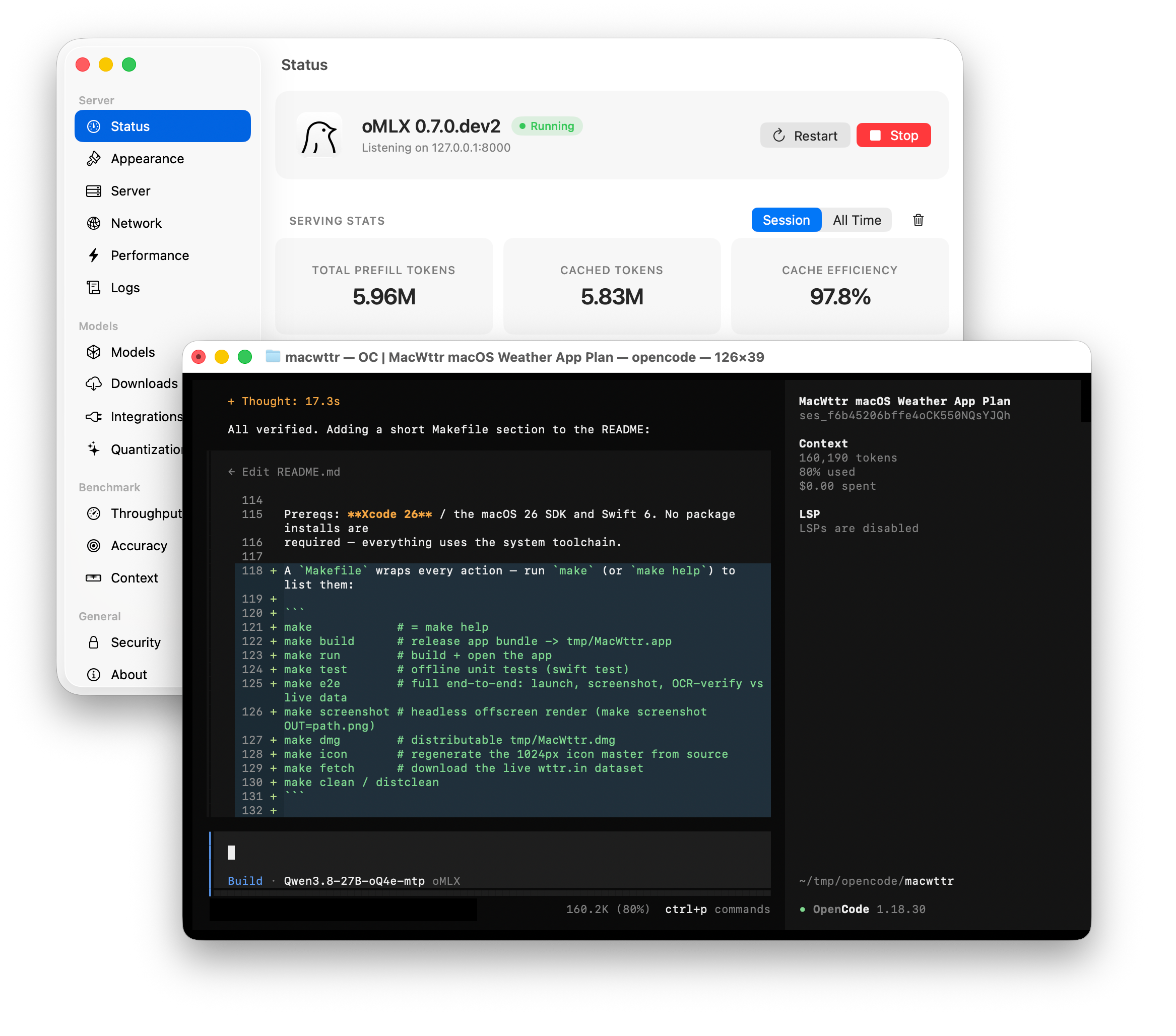
Large Language Models which are small enough that they can be run on a local computer are getting better at an incredible pace. Qwen3.8 27B is a prime example: Despite being orders of magnitude smaller than other frontier models, it performs almost as well in coding tasks. Macs are uniquely suited to run these models as their uniform memory architecture does not distinguish between GPU-accessible VRAM and CPU-accessible RAM, instead there is just one uniform memory space. On a 48 GB Mac model, almost all of this memory can be used to hold and “execute” an LLM.
This article is a brief guide to set up oMLX as a local LLM runtime and connect it to a Coding Agent like OpenCode.
I have struggled with this issue for a while and ultimately the solution is so ridiculously simple, it’s almost comical. (Spoiler: Use a different USB port.)
After performing a macOS update with no errors shown on an Apple Silicon Mac running macOS from an external disk, the system would always boot up fine, but to the very same macOS version installed before the “update”. I could run this again and again – from the UI, from the command line with all sorts and parameter variations of sudo softwareupdate -irR --user <username>. The result was always the same: no error, but also no new macOS version.
Turns out, not all USB/Thunderbolt ports are created equal on Apple Silicon Macs: One of them is special in that it serves as a DFU (Device Firmware Update) port (which can help recover a Mac when it’s internal disk is kaput). Apple’s documentation tells you which port it is on your Mac.
Fix: Plug your external boot drive to another USB / Thunderbolt port and run software update again. Hint for Mac Mini M4 users: The DFU port is the middle one on the backside. Don’t use that.
Apple has earned itself a name for producing durable computers. My MacBook is now 9 years old and while it still works fine, it has grown increasingly slow and has lately been spinning its fan up like crazy. Time to open the case and fix the issue.
Ubuntu is moving away from the old /etc/network/interfaces or /etc/network/interfaces.d/*.cfg style of configuration towards netplan. Unfortunately nobody seems to have thought about dummy network interface support. There seems to be a workaround with a bridge device without attached interfaces, but I could not get netplan to assign IP addresses to that bridge interface and it furthermore leads to the boot-up process hanging for a few minutes.
I therefore stick with the old /etc/network/interfaces for now and work around a bug with the dummy module initialization in 18.04 like this:
Pre-2011 Macs store the system password in a very insecure way which permits easy password recovery if the user can boot into the system and has root / Administrator priviledges. This post details how to simply erase or recover that system password. Continue reading →
TeXstudio is a decent and free TeX editor on the Mac. One aspect of it bothered me, though: It uses too much CPU for no obvious reason. Even when no tex documents are open, it (version 2.10.8) does *something* very CPU intensive every ~8 seconds. On a desktop computer this wouldn’t be much of a hassle, but on a laptop unnecessary mean wasted energy and less battery life. With TeXstudio on a MacBook Pro it actually means several hours less battery life.
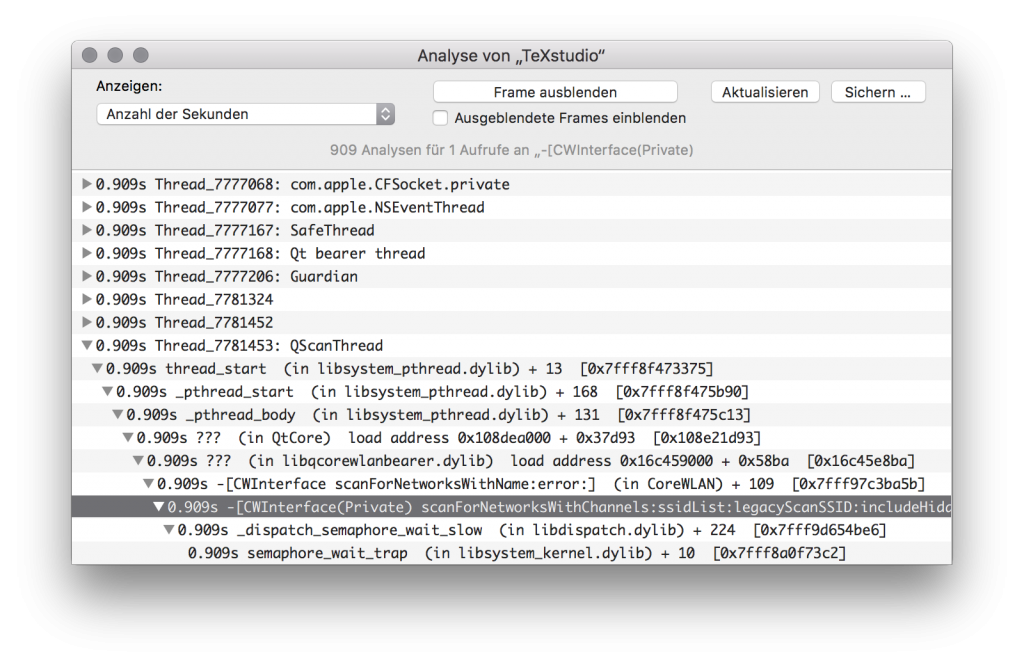
Using the Activity Monitor I found TeXstudio to frequently scan for network interfaces and nearby Wifi networks. That is very odd for a TeX editor and I cannot think of a good reason for it to do so.
TeXstudio is scanning for WIFI networks
Apparently, libqcorewlanbearer.dylib is involved. Simple fix: Delete it.
TeXstudio will continue to work just fine but will use way less energy doing so. Why does this matter? Because it is spring and I want to work outside. 😀
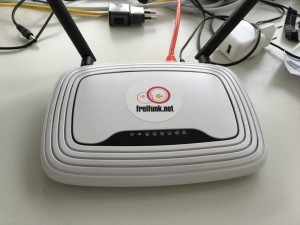
There are plenty of reasons to tunnel one network connection through another without encryption: You might, for instance, want to transparently connect two separate networks (e.g. data centers) through another, or want to use a publicly reachable IP address behind your providers NAT. Whatever the reason is, what you are going to do is to encapsulate your data within IP packets to pass through the transit network to your other tunnel endpoint. While it is out of question that this works (this has been a solved problem for a while), this article will look at the performance of various tunneling methods on a very, very low-end consumer-grade device: A TP-Link WR841N v9 wireless router. This device costs less than €15 and is still a very capable router because it can run the versatile open-source OpenWRT operating system.



 Pre-2011 Macs store the system password in a very insecure way which permits easy password recovery if the user can boot into the system and has root / Administrator priviledges. This post details how to simply erase or recover that system password.

 There are plenty of reasons to tunnel one network connection through another without encryption: You might, for instance, want to transparently connect two separate networks (e.g. data centers) through another, or want to use a publicly reachable IP address behind your providers